IA & Agentes
Copilot Studio - Harness - o runtime que decide como o agente pensa
Copilot Studio - Harness - the runtime that decides how your agent thinks
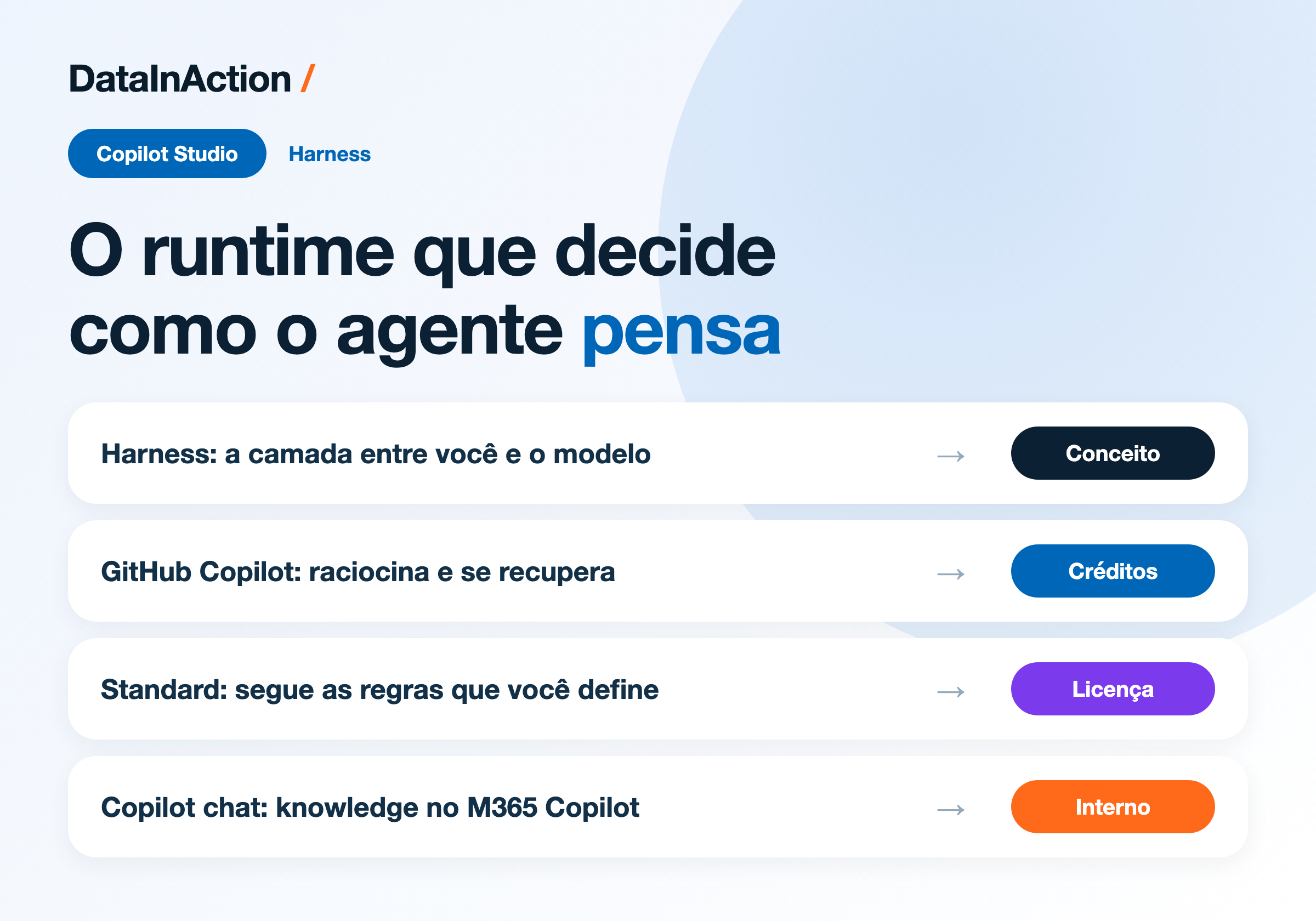
Fala dataholics, apareceu uma palavra nova na tela de criação do Copilot Studio e ela decide bastante coisa: harness. Desde 3 de agosto, quando você cria um agente, a plataforma pergunta em qual harness ele vai rodar, e essa escolha muda o que o agente consegue fazer e também como a conta chega no fim do mês.
O que veremos nesse post:
O que é um harness
Os três que existem hoje
Qual escolher em cada cenário
O que muda pra quem já tem agente rodando
O que é um harness
Você desenha o agente ou o workflow, o modelo entrega o raciocínio e a geração de texto, e entre os dois tem uma camada que ninguém costumava enxergar. Essa camada é o harness, um runtime que decide quando chamar o modelo, quais componentes empacotar e mandar junto no contexto, interpreta o que volta e dispara a tool certa.
Se você já montou agente no Copilot Studio antes, o harness sempre esteve ali, só que fixo e invisível. O que mudou é que agora ele virou escolha sua na criação, e o Copilot Studio passou a ser uma plataforma multi-harness.
Reginaldo, então harness é o mesmo que escolher o modelo?
Não, são coisas diferentes que a gente configura em telas diferentes. Modelo é Claude Sonnet 5, GPT-5.5, aquilo que eu abri no post sobre qual modelo escolher. O harness é quem conversa com o modelo, monta o contexto e executa a decisão que ele tomou. Dá pra ter o mesmo Claude Sonnet 5 nos dois harnesses e o comportamento do agente ser bem diferente, porque quem conduz a orquestração é o harness.
Os três harnesses
Hoje a documentação lista três, e tudo que você constrói no Copilot Studio roda em cima de um deles:
GitHub Copilot harness - agentes e workflows de processo complexo, que precisam raciocinar em vários passos. Ficou GA em 3 de agosto de 2026.
Standard harness - os agentes rule-based e os agent flows, ou seja o Copilot Studio que a gente já conhecia.
Copilot chat harness - o caminho pra estender o Microsoft 365 Copilot Chat com o conhecimento da empresa.
O GitHub Copilot harness é o mais capaz da lista e é onde está a novidade de verdade. Em vez de seguir um roteiro fixo, ele pega um objetivo, quebra em passos, chama tools atravessando conector, knowledge, servidor MCP e agentes conectados, e reajusta o caminho quando um passo falha ou quando o pedido muda no meio. Ele também cria e edita arquivo Word, Excel, PowerPoint e PDF nativamente, suporta Skills e Memory, e roda cada tarefa num sandbox governado pelo próprio Copilot Studio.
O exemplo que a Microsoft usa na doc é contas a pagar, que é bem didático: o agente lê a nota, casa com o pedido de compra e manda o que não bateu pra fila de aprovação. Repara que nenhum desses passos é uma pergunta de chatbot, é processo mesmo, e é aí que esse harness faz sentido.
O Standard harness continua sendo a escolha certa pra um monte de coisa. Quando o cenário é bem definido e você quer resposta previsível, você monta os topics, os prompts e os caminhos e o agente responde igual toda vez. Um help desk interno que tira dúvida comum e roteia pedido simples vive muito bem aqui, e o custo é o licenciamento clássico que você já conhece.
O Copilot chat harness é mais estreito de propósito. Ele liga o seu conhecimento ao Microsoft 365 Copilot Chat pra pessoa receber resposta fundamentada sem sair do lugar onde ela já trabalha, tipo um agente de onboarding que responde a partir do SharePoint. Publica só pra time interno e a cobrança é consumo ou já vem incluída na licença de usuário do Microsoft 365 Copilot.
Comparando na prática
Juntando o que muda de um pro outro:
Como o trabalho é feito - GitHub Copilot raciocina sozinho sobre o objetivo, passo a passo. Standard segue os topics e regras que você escreveu. Copilot chat liga knowledge ao Copilot Chat.
Quando algo dá errado - GitHub Copilot tenta de novo e procura caminho alternativo sozinho. Standard segue só os caminhos que você construiu. No Copilot chat isso nem é o foco.
Arquivos - só o GitHub Copilot cria, edita e raciocina sobre Word, Excel, PowerPoint e PDF.
Skills e Memory - só no GitHub Copilot.
Publicação - GitHub Copilot e Standard publicam interno ou externo. Copilot chat só interno.
Cobrança - GitHub Copilot usa Copilot Credits por uso. Standard usa o licenciamento clássico. Copilot chat é consumo ou está incluso na licença do Microsoft 365 Copilot.
DETALHE IMPORTANTE: essa linha de cobrança não é detalhe pequeno. No Standard a conta começa depois que você publica, e no GitHub Copilot harness o crédito começa a rodar desde a hora que você está construindo, testando e avaliando o agente. Isso muda o jeito de trabalhar e merece post separado, que é o que vem amanhã.
E quem já tem agente rodando?
Não precisa fazer nada. Os agentes que já existem continuam no harness deles, do jeito que estão, e a escolha aparece só quando você cria um novo. Na prática o que entrou foi uma decisão de arquitetura logo no começo do projeto, e vale pensar nela antes de sair clicando.
A régua que eu tenho usado é simples: se o que eu quero é resposta consistente pra pergunta conhecida, Standard resolve e sai mais barato. Se o processo tem vários passos, passa por mais de uma ferramenta, mexe com arquivo e tem decisão ambígua no meio, aí vale o GitHub Copilot harness. E se eu só quero que o pessoal encontre a informação da empresa dentro do Copilot Chat, nem preciso de agente complexo, o Copilot chat harness dá conta.
Confesso que ainda não coloquei um processo de ponta a ponta em produção nesse harness novo pra falar de estabilidade com propriedade. Rodei em teste, gostei bastante do jeito que ele se recupera quando um passo falha, mas quero ver isso com volume antes de recomendar de olhos fechados.
RESUMO
Harness é o runtime entre o que você desenha e o modelo, e agora virou escolha na criação do agente.
GitHub Copilot harness para processo multi-step, com arquivo, Skills, Memory e cobrança por Copilot Credits.
Standard harness para agente rule-based e agent flow, com licenciamento clássico.
Copilot chat harness para estender o Microsoft 365 Copilot Chat com knowledge interno.
Agente antigo não muda, a escolha vale pros novos.
Comenta aí qual harness você escolheria pro seu caso, tenho curiosidade de ver quanta gente vai de Standard mesmo com o novo disponível.
Referências:
Choose a harness - Microsoft Copilot Studio
Fique bem e até a próxima.
#copilotstudio #harness #microsoft #ia #agentes #datainaction
Hey dataholics, a new word showed up on the Copilot Studio creation screen and it decides quite a lot: harness. Since August 3rd, when you create an agent the platform asks which harness it runs on, and that choice changes what the agent can do and also how the bill shows up at the end of the month.
What we'll see in this post:
What a harness is
The three that exist today
Which one to pick for each scenario
What changes for anyone already running agents
What a harness is
You design the agent or the workflow, the model brings the reasoning and the text generation, and between the two there's a layer nobody used to see. That layer is the harness, a runtime that decides when to call the model, which components to pack and send along in the context, interprets what comes back and fires the right tool.
If you've built an agent in Copilot Studio before, the harness was always there, just fixed and invisible. What changed is that now it became your choice at creation time, and Copilot Studio turned into a multi-harness platform.
Reginaldo, so is a harness the same thing as picking the model?
No, they're different things and we configure them on different screens. Model is Claude Sonnet 5, GPT-5.5, the stuff I covered in the post about which model to pick. The harness is what talks to the model, assembles the context and executes the decision it made. You can run the same Claude Sonnet 5 on both harnesses and have the agent behave very differently, because the harness is what drives the orchestration.
The three harnesses
The docs list three today, and everything you build in Copilot Studio runs on one of them:
GitHub Copilot harness - agents and workflows for complex processes that need to reason across several steps. It went GA on August 3rd, 2026.
Standard harness - rule-based agents and agent flows, which is the Copilot Studio we already knew.
Copilot chat harness - the path to extend Microsoft 365 Copilot Chat with your company knowledge.
The GitHub Copilot harness is the most capable of the list and that's where the real news is. Instead of following a fixed script, it takes a goal, breaks it into steps, calls tools across connectors, knowledge, MCP servers and connected agents, and readjusts the path when a step fails or when the request changes halfway through. It also creates and edits Word, Excel, PowerPoint and PDF files natively, supports Skills and Memory, and runs each task in a sandbox governed by Copilot Studio itself.
The example Microsoft uses in the docs is accounts payable, which is nice and concrete: the agent reads the invoice, matches it against the purchase order and sends whatever didn't match to the approval queue. Notice that none of those steps is a chatbot question, it's an actual process, and that's where this harness makes sense.
The Standard harness is still the right call for plenty of scenarios. When the case is well defined and you want a predictable answer, you build the topics, the prompts and the paths and the agent replies the same way every time. An internal help desk that answers common questions and routes simple requests lives very well here, and the cost is the classic licensing you already know.
The Copilot chat harness is narrower on purpose. It connects your knowledge to Microsoft 365 Copilot Chat so people get grounded answers without leaving the place where they already work, like an onboarding agent answering from SharePoint. It publishes to internal teams only and billing is consumption or already included in the Microsoft 365 Copilot user license.
Comparing them in practice
Pulling together what changes from one to the other:
How the work gets done - GitHub Copilot reasons through the goal on its own, step by step. Standard follows the topics and rules you wrote. Copilot chat connects knowledge to Copilot Chat.
When something goes wrong - GitHub Copilot retries and finds an alternative path by itself. Standard follows only the paths you built. On Copilot chat that isn't even the focus.
Files - only GitHub Copilot creates, edits and reasons over Word, Excel, PowerPoint and PDF.
Skills and Memory - GitHub Copilot only.
Publishing - GitHub Copilot and Standard publish internally or externally. Copilot chat is internal only.
Billing - GitHub Copilot uses Copilot Credits per usage. Standard uses classic licensing. Copilot chat is consumption or included in the Microsoft 365 Copilot license.
IMPORTANT: that billing line is not a small detail. On Standard the meter starts after you publish, and on the GitHub Copilot harness credits start burning from the moment you're building, testing and evaluating the agent. That changes the way you work and deserves its own post, which is what comes tomorrow.
What about agents already running?
Nothing to do. Existing agents stay on their harness exactly as they are, and the choice only shows up when you create a new one. In practice what landed here is an architecture decision right at the start of the project, and it's worth thinking it through before you start clicking.
The rule of thumb I've been using is simple: if what I want is a consistent answer to a known question, Standard solves it and comes out cheaper. If the process has several steps, crosses more than one tool, deals with files and has an ambiguous decision in the middle, then the GitHub Copilot harness earns its place. And if I just want people to find company information inside Copilot Chat, I don't even need a complex agent, the Copilot chat harness handles it.
I'll admit I haven't put an end to end process in production on this new harness yet to talk about stability with any authority. I ran it in testing, I really liked the way it recovers when a step fails, but I want to see that under volume before recommending it with my eyes closed.
RECAP
A harness is the runtime between what you design and the model, and now it's a choice at agent creation.
GitHub Copilot harness for multi-step processes, with files, Skills, Memory and Copilot Credits billing.
Standard harness for rule-based agents and agent flows, with classic licensing.
Copilot chat harness to extend Microsoft 365 Copilot Chat with internal knowledge.
Old agents don't change, the choice applies to new ones.
Comment below which harness you'd pick for your case, I'm curious to see how many people stay on Standard even with the new one available.
References:
Choose a harness - Microsoft Copilot Studio
Take care and see you next time.
#copilotstudio #harness #microsoft #ai #agents #datainaction
Gostou? Tem mais no YouTube e no LinkedIn.
Enjoyed it? There's more on YouTube and LinkedIn.
Continue lendo Keep reading
![GitHub Copilot a fundo [5] - AI Credits: o Copilot virou usage-based](/images/ghcopilot-aicredits-capa.png)
GitHub Copilot a fundo [5] - AI Credits: o Copilot virou usage-based
Ler → Read →![GitHub Copilot a fundo [4] - Copilot CLI: o agente que mora no seu terminal](/images/ghcopilot-cli-capa.png)
GitHub Copilot a fundo [4] - Copilot CLI: o agente que mora no seu terminal
Ler → Read →![GitHub Copilot a fundo [3] - MCP: ferramentas para o agente sem perder a governança](/images/ghcopilot-mcp-capa.png)