IA & Agentes
Copilot Studio - Knowledge na nova experiência - o catálogo novo e a confusão com attachment
Copilot Studio - Knowledge in the new experience - the new catalog and the attachment mix-up
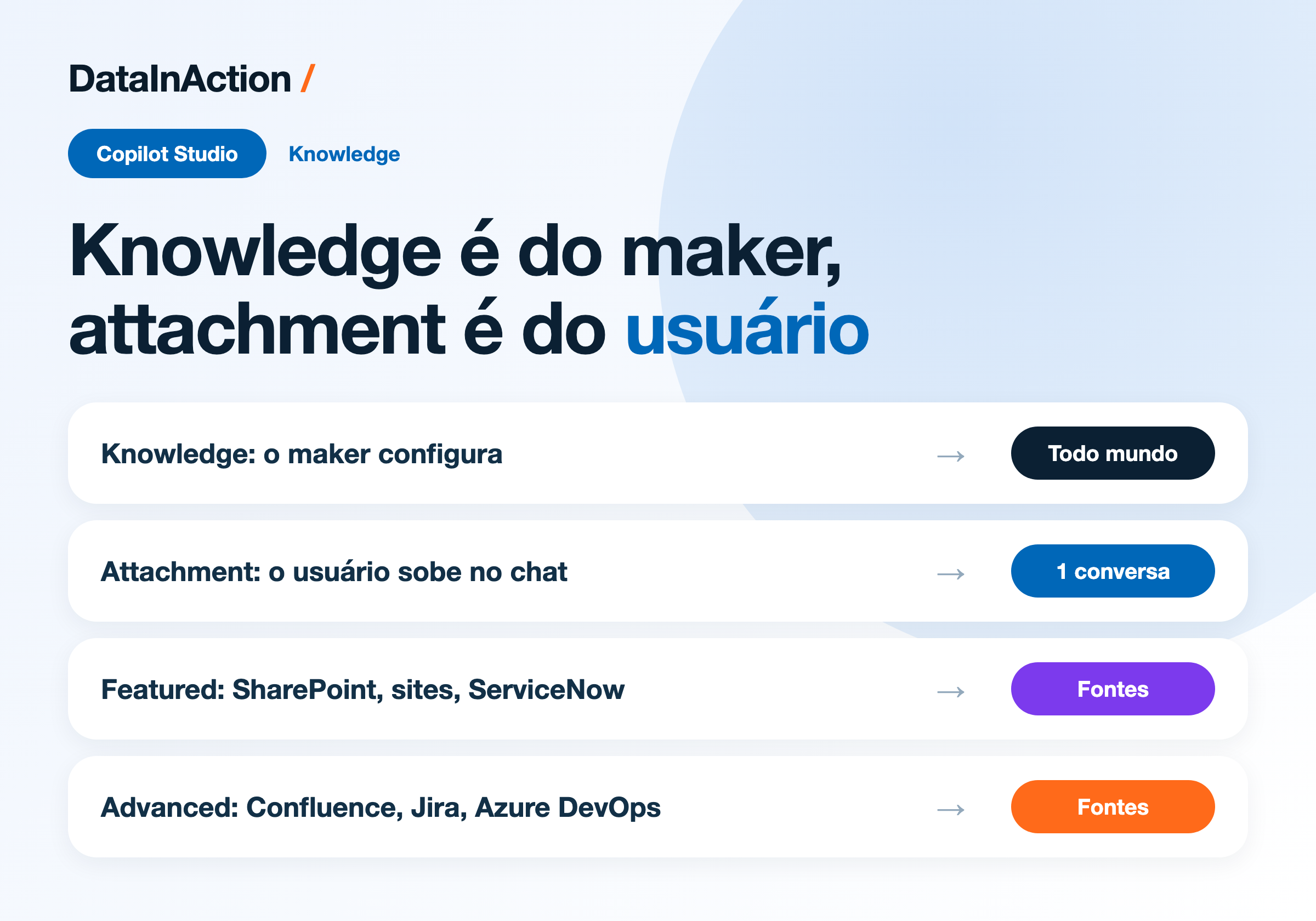
Fala dataholics, seguindo a semana de novidades do Copilot Studio, hoje é a vez do Knowledge. Eu já tinha escrito uma série inteira sobre base de conhecimento, só que ela é da experiência clássica, e na nova o catálogo de fontes mudou de cara. Tem também uma distinção na documentação que parece bobagem e derruba arquitetura de agente.
Onde o Knowledge vive agora
Na nova experiência você configura knowledge pela aba Build, no mesmo painel onde ficam Instructions, Skills e Tools. Sem knowledge o agente responde só com o treinamento geral do modelo mais o que estiver escrito nas instructions, e é aí que ele começa a inventar coisa sobre a sua empresa.
O que muda de verdade é quem decide a busca. O runtime de orquestração avalia sozinho se a pergunta precisa de knowledge, escolhe quais fontes consultar, recupera o conteúdo e monta a resposta, às vezes com citação da origem. Você não amarra fonte em topic nem escreve regra de roteamento, quem faz isso é o orquestrador, e as suas instructions ainda influenciam como ele interpreta e apresenta o que achou.
O catálogo novo
Quando você clica em Add knowledge, o diálogo separa as fontes em abas Featured e Advanced, com uma área de upload no topo. Hoje a lista está assim:
Upload de arquivo - arrasta e solta PDF, Word, Excel e PowerPoint direto no agente.
Public websites (Featured) - URL de site público, que eu comparei com busca na web no post 4 da série.
SharePoint (Featured) - site, biblioteca ou arquivo específico.
ServiceNow (Featured) - conteúdo de service management.
Confluence (Advanced) - documentação de time e base de conhecimento.
Jira e Azure DevOps Work Items (Copilot connector) - issue, bug e backlog viram fonte de consulta.
Dataverse, Azure AI Search e outros Copilot connectors - aparecem conforme o seu ambiente e licenciamento.
Esse último ponto está escrito na doc e vale destacar, porque o que aparece na sua tela pode não ser o que aparece na minha. Se um colega jura que viu Dataverse ali e você não acha, provavelmente é diferença de ambiente ou de licença, não é bug.
Reginaldo, e Jira e Azure DevOps como knowledge, isso não seria tool?
Aqui a diferença é o que você quer fazer com eles. Como knowledge, o agente lê o work item pra responder pergunta, tipo "o que já foi reportado sobre lentidão no relatório X". Se você quer que ele crie um work item, aí sim é Tool, e eu abri esse caminho na série de tools e conectores. Mesma fonte, papel diferente dentro do agente.
Knowledge não é a mesma coisa que attachment
Essa é a parte que eu quero que você leve embora. A documentação agora deixa explícito:
Knowledge source é conteúdo que o maker disponibiliza pro agente em tempo de design. Todo usuário que conversar com aquele agente recebe exatamente o mesmo grounding.
Attachment é quando o usuário final traz o arquivo dele pra uma conversa específica, tipo jogar um PDF no chat e pedir um resumo. Aquilo vale pra aquela conversa e acabou.
Parece detalhe de vocabulário, só que eu já vi projeto desenhado errado por causa disso. A ideia era "o usuário sobe o manual do produto dele e o agente passa a saber responder sobre aquele manual pra todo mundo". Não funciona assim, o attachment morre com a conversa e o agente não aprende nada permanente com ele. Se o conteúdo precisa valer pra todos, ele tem que entrar como knowledge source, configurado pelo maker.
Escolhendo a fonte certa
Um resumo rápido de pra que serve cada uma, que é praticamente a régua que a própria doc sugere:
Documento específico que o agente precisa citar, sobe como arquivo.
Documentação pública, FAQ e material de produto, Public websites.
Política interna, procedimento e conteúdo de time, SharePoint.
Dado estruturado em tabela e registro, Dataverse.
Coleção grande de documento que precisa de busca de verdade, Azure AI Search.
Dado que mora fora da Microsoft, Copilot connectors.
DETALHE IMPORTANTE: lembra do post de ontem sobre Copilot Credits? Knowledge conta como tool na cobrança do GitHub Copilot harness. Cada fonte que o orquestrador resolve consultar entra na conta, então plugar oito fontes "por garantia" tem preço agora. Vale escolher menos e melhor.
RESUMO
Knowledge fica na aba Build e o orquestrador decide sozinho o que consultar.
Catálogo atual: upload de arquivo, Public websites, SharePoint, ServiceNow, Confluence, Jira, Azure DevOps Work Items, e ainda Dataverse, Azure AI Search e Copilot connectors conforme o ambiente.
O que aparece na tela varia por ambiente e licenciamento.
Knowledge source é do maker e vale pra todo mundo. Attachment é do usuário e morre na conversa.
Fonte demais custa crédito, escolha o que o agente realmente precisa.
Comenta aí se você já tinha percebido a diferença entre knowledge e attachment, porque eu levei um tempo pra achar isso escrito de forma clara na doc.
Referências:
Available knowledge sources for agents
Espero que tenha gostado.
#copilotstudio #knowledge #rag #microsoft #ia #agentes #datainaction
Hey dataholics, continuing the week of Copilot Studio news, today it's Knowledge's turn. I had already written a whole series about knowledge bases, except it was based on the classic experience, and in the new one the source catalog looks different. There's also a distinction in the docs that sounds like nitpicking and yet breaks agent architecture.
Where Knowledge lives now
In the new experience you configure knowledge from the Build tab, in the same panel that holds Instructions, Skills and Tools. Without knowledge the agent answers only from the model's general training plus whatever is written in the instructions, and that's when it starts making things up about your company.
What really changes is who decides the search. The orchestration runtime evaluates on its own whether the question needs knowledge, picks which sources to search, retrieves the content and assembles the answer, sometimes with citations back to the origin. You don't tie a source to a topic or write routing rules, the orchestrator does that, and your instructions still influence how it interprets and presents what it found.
The new catalog
When you click Add knowledge, the dialog splits sources into Featured and Advanced tabs, with an upload area at the top. Today the list looks like this:
File upload - drag and drop PDF, Word, Excel and PowerPoint straight into the agent.
Public websites (Featured) - public site URLs, which I compared against web search in part 4 of the series.
SharePoint (Featured) - a site, a document library or a specific file.
ServiceNow (Featured) - service management content.
Confluence (Advanced) - team documentation and knowledge base articles.
Jira and Azure DevOps Work Items (Copilot connector) - issues, bugs and backlog become searchable content.
Dataverse, Azure AI Search and other Copilot connectors - they show up depending on your environment and licensing.
That last point is written in the docs and deserves a highlight, because what shows on your screen might not be what shows on mine. If a colleague swears they saw Dataverse in there and you can't find it, it's probably an environment or licensing difference, not a bug.
Reginaldo, Jira and Azure DevOps as knowledge, wouldn't that be a tool?
The difference here is what you want to do with them. As knowledge, the agent reads the work item to answer a question, like "what has already been reported about that report being slow". If you want it to create a work item, then yes it's a Tool, and I covered that path in the tools and connectors series. Same source, different role inside the agent.
Knowledge is not the same thing as an attachment
This is the part I want you to take away. The docs now spell it out:
Knowledge source is content the maker makes available to the agent at design time. Every user who talks to that agent gets exactly the same grounding.
Attachment is when the end user brings their own file into a specific conversation, like dropping a PDF in the chat and asking for a summary. That applies to that conversation and nothing more.
It sounds like vocabulary trivia, except I've seen projects designed wrong because of it. The idea was "the user uploads their product manual and the agent starts answering about that manual for everybody". It doesn't work that way, the attachment dies with the conversation and the agent learns nothing permanent from it. If the content has to apply to everyone, it has to come in as a knowledge source, configured by the maker.
Picking the right source
A quick summary of what each one is for, which is pretty much the rule of thumb the docs suggest:
A specific document the agent needs to quote, upload it as a file.
Public documentation, FAQs and product material, Public websites.
Internal policies, procedures and team content, SharePoint.
Structured data in tables and records, Dataverse.
A large document collection that needs real search, Azure AI Search.
Data that lives outside Microsoft, Copilot connectors.
IMPORTANT: remember yesterday's post about Copilot Credits? Knowledge counts as a tool for billing on the GitHub Copilot harness. Every source the orchestrator decides to search lands on the bill, so plugging in eight sources "just to be safe" has a price now. Better to pick fewer and pick well.
RECAP
Knowledge sits on the Build tab and the orchestrator decides on its own what to search.
Current catalog: file upload, Public websites, SharePoint, ServiceNow, Confluence, Jira, Azure DevOps Work Items, plus Dataverse, Azure AI Search and Copilot connectors depending on the environment.
What shows up on screen varies by environment and licensing.
A knowledge source belongs to the maker and applies to everyone. An attachment belongs to the user and dies with the conversation.
Too many sources costs credits, pick what the agent actually needs.
Comment below if you had already spotted the difference between knowledge and attachment, because it took me a while to find it written clearly in the docs.
References:
Available knowledge sources for agents
Hope you liked it.
#copilotstudio #knowledge #rag #microsoft #ai #agents #datainaction
Gostou? Tem mais no YouTube e no LinkedIn.
Enjoyed it? There's more on YouTube and LinkedIn.
Continue lendo Keep reading
![GitHub Copilot a fundo [5] - AI Credits: o Copilot virou usage-based](/images/ghcopilot-aicredits-capa.png)
GitHub Copilot a fundo [5] - AI Credits: o Copilot virou usage-based
Ler → Read →![GitHub Copilot a fundo [4] - Copilot CLI: o agente que mora no seu terminal](/images/ghcopilot-cli-capa.png)
GitHub Copilot a fundo [4] - Copilot CLI: o agente que mora no seu terminal
Ler → Read →![GitHub Copilot a fundo [3] - MCP: ferramentas para o agente sem perder a governança](/images/ghcopilot-mcp-capa.png)